Best Gaming Headsets for PS5 in Canada
An independent Canadian buying guide to PS5 gaming headsets — quick picks, a comparison table, what to look for (wired vs wireless, 3.5mm vs USB, mic, comfort, battery), how much to spend, and how to choose.
Affiliate disclosure: Borealis is reader-supported. We may earn a commission from qualifying purchases made through certain links — at no extra cost to you. We do not currently use Best Buy affiliate links, and we are not affiliated with Best Buy or any retailer. Read the full disclosure.
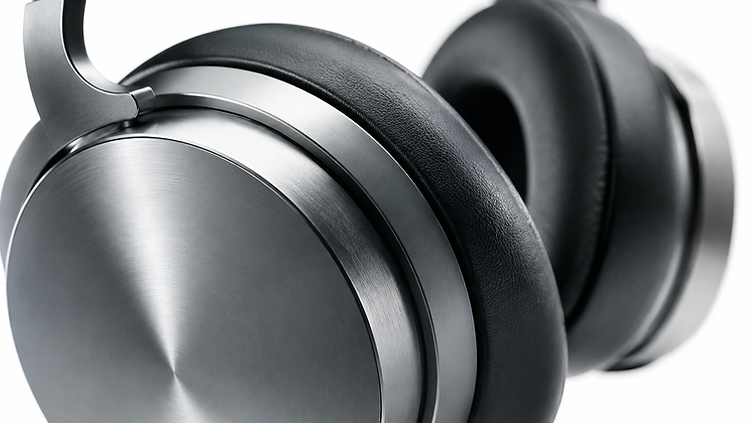
PS5 players have more headset choices than ever, and the right one depends on sound, microphone quality, comfort, connection type, battery life, and budget. You don't need to spend a lot — a wired 3.5mm headset plugged into the DualSense controller works right away — but wireless freedom and better comfort cost more. This guide compares eight PS5 headsets sold in Canada, from a ~$25 wired pick to a ~$250 premium wireless model, with approximate prices in CAD, and keeps it practical so you can decide quickly. For broader budget options, see our Best Gaming Headsets Under $100 in Canada guide.
A note on accuracy. Prices below are approximate and current as of October 2026, taken from Canadian retailer listings, and can change — always verify the live listing before buying. We haven't personally tested these headsets; our picks are based on verified specifications, not hands-on reviews. Battery life figures are manufacturer-stated.
Quick Picks
- Best ultra-budget — Turtle Beach Recon 50P (~$25): A basic wired 3.5mm headset with a removable mic that plugs into the DualSense controller. For shoppers who want the cheapest usable PS5 headset.
- Best affordable — Razer Kaira X (~$60): A wired 3.5mm headset built for PS5 with 50mm drivers and a clear cardioid mic. For shoppers who want a solid wired headset without spending much.
- Best wired all-rounder — SteelSeries Arctis Nova 1P (~$70): A comfortable wired 3.5mm headset with a noise-isolating mic. For shoppers who want a well-rounded wired headset.
- Best for comfort & wired performance — HyperX Cloud III (~$96): A plush wired headset with 53mm drivers and a 10mm mic. For shoppers who prioritize comfort and wired sound.
- Best budget wireless — HyperX Cloud Jet (~$66): A budget 2.4GHz wireless headset that frees you from the controller cable. For shoppers who want wireless at the lowest price.
- Best budget wireless PS5 — Turtle Beach Stealth 500P (~$75): A 2.4GHz wireless headset with a flip-to-mute mic and long battery life. For shoppers who want affordable wireless with stamina.
- Best wireless value — Turtle Beach Stealth 600 (~$80): A 2.4GHz wireless headset with glasses-friendly cushions and a flip-to-mute mic. For shoppers who want dependable wireless under $100.
- Best premium wireless — SteelSeries Arctis Nova 7P (~$250): A premium multi-device wireless headset with 2.4GHz + Bluetooth and Sonar software. For shoppers who want premium wireless and multi-device use.
"Best" depends on your priorities — there's no single best PS5 headset for everyone.
Quick Comparison Table
All eight are PS5-compatible. Prices are current as of October 2026 and subject to change.
| Headset | Approx. CAD price | Connection | Wired/Wireless | Compatibility | Best for |
|---|---|---|---|---|---|
| Turtle Beach Recon 50P | ~$25 | Wired (3.5mm) | Wired | PS5, PS4, PC, mobile | Best ultra-budget PS5 headset |
| Razer Kaira X | ~$60 | Wired (3.5mm) | Wired | PS5, PS4, PC, mobile | Best affordable PS5 headset |
| HyperX Cloud Jet | ~$66 | Wireless (2.4GHz USB) | Wireless | PS5, PC | Best budget wireless option |
| SteelSeries Arctis Nova 1P | ~$70 | Wired (3.5mm) | Wired | PS5, PS4, PC, mobile | Best wired all-rounder |
| Turtle Beach Stealth 500P | ~$75 | Wireless (2.4GHz USB) | Wireless | PS5, PS4, PC | Best budget wireless PS5 headset |
| Turtle Beach Stealth 600 | ~$80 | Wireless (2.4GHz USB) | Wireless | PS5, PS4, PC | Best wireless value |
| HyperX Cloud III | ~$96 | Wired (3.5mm + USB) | Wired | PS5, PC, mobile | Best for comfort & wired performance |
| SteelSeries Arctis Nova 7P | ~$250 | Wireless (2.4GHz + Bluetooth) | Wireless | PS5, PC, mobile, Switch | Best premium wireless option |
Affiliate links aren't active yet. We'll add them once our program is approved. For now, search the product name at your preferred Canadian retailer to check the current price and availability.
Pros and Cons at a Glance
Prices are approximate, in CAD, and can change. The points below are based on documented specifications and listed features, not hands-on testing. Battery figures are manufacturer-stated.
Turtle Beach Recon 50P (~$25) — Best Ultra-Budget Pick
- Pros: the cheapest usable PS5 headset here; plugs into the DualSense 3.5mm jack; removable mic; also works on PS4, PC, and mobile.
- Cons: entry-level build, audio, and microphone quality; no wireless option; no surround or EQ features.
Razer Kaira X (~$60) — Best Affordable Wired Pick
- Pros: 50mm drivers and a cardioid mic; wired 3.5mm through the controller; works on PS5, PS4, PC, and mobile; nothing to charge.
- Cons: wired only; no wireless option; limited sound tuning on console.
HyperX Cloud Jet (~$66) — Best Budget Wireless Pick
- Pros: wireless freedom at a low price; 2.4GHz USB connection designed for PS5 and PC; no cable running to the controller.
- Cons: compatibility is limited to PS5 and PC, unlike the wired picks that also cover PS4 and mobile; the battery needs managing.
SteelSeries Arctis Nova 1P (~$70) — Best Wired All-Rounder
- Pros: 3.5mm wired through the DualSense controller; works on PS5, PS4, PC, and mobile; noise-isolating boom mic; no battery to manage.
- Cons: wired only; no surround processing on PS5; no software EQ on console.
Turtle Beach Stealth 500P (~$75) — Best Budget Wireless PS5 Pick
- Pros: wireless 2.4GHz at a budget price; designed for PlayStation; flip-to-mute mic; no cable across the room.
- Cons: battery management; build and microphone quality are a step below the pricier wireless models.
Turtle Beach Stealth 600 (~$80) — Best Wireless Value
- Pros: wireless 2.4GHz with PS5 and PS4 support; flip-to-mute mic; comfortable ear cushions; frequently discounted.
- Cons: no Bluetooth; battery management; build materials are basic for the category.
HyperX Cloud III (~$96) — Best for Comfort and Wired Performance
- Pros: very comfortable memory-foam fit; 53mm angled drivers; works over 3.5mm on PS5 and adds DTS spatial audio and software tuning on PC over USB.
- Cons: wired only; the DTS and software features are PC-only; it's the most expensive wired pick here.
SteelSeries Arctis Nova 7P (~$250) — Best Premium Wireless Pick
- Pros: 2.4GHz wireless plus simultaneous Bluetooth so you can mix phone audio with game sound; retractable mic; long manufacturer-stated battery life; PS5-focused tuning.
- Cons: the highest price in this guide by a wide margin; battery management; PC-only software features don't apply on PS5.
Check current price. No retailer links appear here yet — no affiliate program is active. Once one is approved, each pick above will carry a "Check current price" link to a Canadian retailer. For now, search the exact model name and confirm it's the PlayStation version.
The Headsets
Turtle Beach Recon 50P (~$25)
A wired 3.5mm headset with 40mm drivers, a removable boom mic, and on-ear volume controls. It plugs straight into the DualSense controller and works with PS5, PS4, PC, and mobile. Best for: shoppers who want the cheapest usable PS5 headset. Drawbacks: basic build and sound, and no surround or software features. Who should consider it: casual players who just need a working headset for the least money.
Razer Kaira X (~$60)
A wired 3.5mm headset built for PS5, with TriForce 50mm drivers, a HyperClear cardioid boom mic, and on-ear controls with FlowKnit memory-foam ear cushions. Plug-and-play through the DualSense controller. Best for: shoppers who want a solid wired headset without spending much. Drawbacks: wired only, and no software EQ on console. Who should consider it: PS5 players who want better-than-budget wired sound and a clear mic.
SteelSeries Arctis Nova 1P (~$70)
A wired 3.5mm headset tuned for PS5, with Nova Acoustics sound, a ClearCast noise-isolating mic, and AirWeave memory-foam cushions, plus on-ear controls and a lightweight design. Best for: shoppers who want a comfortable, well-rounded wired headset. Drawbacks: wired only, and the advanced Sonar software is PC-only. Who should consider it: players who want a comfortable wired all-rounder for long PS5 sessions.
HyperX Cloud III (~$96)
A wired headset with 53mm drivers, DTS Headphone:X spatial audio (via USB on PC), a 10mm mic, and plush memory-foam leatherette ear cushions. Connects via 3.5mm to the controller or USB to a PC. Best for: shoppers who prioritize comfort and wired sound quality. Drawbacks: spatial audio features are PC-only over USB, and it's the priciest wired pick here. Who should consider it: players who want a comfortable, great-sounding wired headset for long sessions.
HyperX Cloud Jet (~$66)
A budget wireless headset for PS5 using a 2.4GHz USB dongle, freeing you from the controller cable. Best for: shoppers who want wireless freedom at the lowest price. Drawbacks: fewer features than pricier wireless picks, and a budget build. Who should consider it: players who want to ditch the cable without spending much.
Turtle Beach Stealth 500P (~$75)
A wireless 2.4GHz headset for PS5 with 50mm Nanoclear drivers, a flip-to-mute mic, on-ear controls, and up to 40 hours of battery (manufacturer spec) over a USB dongle. Best for: shoppers who want affordable wireless with long battery life. Drawbacks: no Bluetooth, and the plastics feel budget. Who should consider it: PS5 players who want wireless freedom and stamina around $75.
Turtle Beach Stealth 600 (~$80)
A wireless 2.4GHz headset for PS5 with 50mm Nanoclear drivers, a flip-to-mute mic, glasses-friendly ProSpecs cushions, and up to 48 hours of battery (manufacturer spec) over a USB dongle. Best for: shoppers who want the best wireless value under $100. Drawbacks: no Bluetooth, and no active noise cancellation. Who should consider it: glasses-wearers and players who want a dependable wireless headset for the money.
SteelSeries Arctis Nova 7P (~$250)
A premium wireless headset with 2.4GHz and Bluetooth simultaneously, up to 40 hours of battery (manufacturer spec), Sonar software for EQ and spatial audio (PC), a ClearCast mic, and USB-C charging. Works with PS5, PC, mobile, and Switch. Best for: shoppers who want a premium multi-device wireless headset. Drawbacks: it's the most expensive here by a wide margin. Who should consider it: players who want premium wireless, multi-device use, and software customization.
What to Look for in a PS5 Gaming Headset
- Connection: wired (3.5mm into the controller) or wireless (a USB dongle in the PS5). See the wired-vs-wireless section below.
- Microphone: a clear boom mic with flip-to-mute or an easy mute button keeps team chat clean.
- Comfort: weight, earcup padding, and clamp force decide how a headset feels over long sessions.
- Battery life: only matters for wireless — check manufacturer-stated hours and whether it charges over USB-C.
- Sound and positional audio: the PS5 supports 3D audio; balanced sound and clear positional cues help in competitive games.
- Chat controls: on-ear volume and chat/game mix dials are convenient during play.
- Other-device compatibility: many PS5 headsets also work on PC, mobile, and sometimes Switch — handy if you use more than one device.
Wired vs Wireless PS5 Headsets
Wired headsets plug into the DualSense controller's 3.5mm jack — simple, affordable, no charging, and no wireless protocol to worry about. Wireless headsets use a USB dongle plugged into the PS5, giving you freedom to move and a cable-free setup. Wireless isn't automatically better — you trade battery management and a higher price for freedom of movement. If you want the most for your money and sit close to the TV, wired is great; if you play across the room or dislike cables, wireless is worth it.
3.5mm vs USB Wireless
A 3.5mm headset connects through the DualSense controller — the controller passes game audio to your ears and your mic back to the PS5. It's the simplest, most universal option, but it relies on the controller's audio and can't use a headset's USB-based features (like PC spatial audio software). A USB wireless headset uses a dongle plugged directly into the PS5, so audio and mic route through the dongle. This can support lower-latency wireless and headset features, but the dongle uses a USB port and the headset is usually paired only to that dongle. In short: 3.5mm is simplest; USB wireless is for dedicated low-latency wireless.
Comfort
Comfort matters more than specs for long sessions. Headband design spreads weight across your head; earcup padding (memory foam, leatherette, or breathable fabric) affects pressure and heat; clamp force should be snug but not pinch; weight — lighter headsets fatigue less; and heat builds up in leatherette pads during long plays. There's no universally comfortable headset — head shape and ear size are personal, so try one on when you can.
Microphone
For team play, mic clarity matters as much as audio. Look for: clear voice pickup from a boom mic positioned near your mouth; flip-to-mute or a mute button for quick silencing; good positioning — a flexible boom you can bend to the right spot; and background-noise handling — a cardioid or noise-isolating mic keeps comms clean in busy rooms. We don't claim any single mic is objectively superior — check recent user feedback for real-world mic performance.
How Much Should You Spend on a PS5 Headset?
- Under $50: basic wired 3.5mm headsets — usable sound and mic, no wireless or premium features. The Recon 50P sits here.
- $50–$100: solid wired headsets and the first budget wireless options — better sound, clearer mics, and more comfort. Most PS5 players' needs are met here. See our Best Gaming Headsets Under $100 in Canada guide for more.
- $100–$200: better-built wireless headsets with longer battery, stronger mics, and more features — though this guide's picks stay at or below ~$100 except the Nova 7P.
- $200+: premium multi-device wireless with software EQ, simultaneous Bluetooth, and high-end build — the Arctis Nova 7P is the example here. Expensive doesn't automatically mean better for everyone.
How to Choose a PS5 Headset
- Decide wired or wireless. A 3.5mm wired headset plugged into the DualSense controller is the simplest and cheapest option. Wireless needs a PS5-compatible USB dongle — check the platform list before buying.
- Know what PS5 audio gives you. PS5's 3D audio works with any stereo headset, so you don't need a special "3D" model to benefit from it.
- Check microphone quality. A flexible boom mic near your mouth beats a built-in or inline mic. A mute control within reach matters for team chat.
- Weigh comfort for long sessions. Lighter headsets with soft, breathable earcups are easier to wear through a long evening.
- If wireless, plan the battery. Confirm the manufacturer-stated runtime and how it charges, then decide whether you're fine plugging in regularly.
- Buy the PlayStation version. Multi-platform headsets often sell PlayStation, Xbox, and PC variants under similar names — the wrong one may not work.
For broader budget options, see our Best Gaming Headsets Under $100 in Canada guide, and for the wider wireless picture see Best Wireless Gaming Headsets in Canada.
Before You Buy
- Prices in this guide are approximate, in CAD, and can change — verify the live listing.
- Availability changes, and wireless models in particular get revised generations under the same name.
- Confirm PS5 compatibility, connection type, and battery figures on the manufacturer or retailer page.
- Check that you're buying the PlayStation version of any multiplatform headset.
- Remember that PC-only features like software EQ or spatial audio won't apply on PS5.
FAQ
What is the best gaming headset for PS5?
There's no single best — it depends on your budget and whether you want wired or wireless. For wired value, the HyperX Cloud III or Arctis Nova 1P; for wireless value, the Turtle Beach Stealth 600; for premium wireless, the Arctis Nova 7P.
Can I use any gaming headset with PS5?
Most wired 3.5mm headsets work through the DualSense controller. Wireless headsets need a PS5-compatible USB dongle — not all wireless headsets support PS5, so check before buying.
Is wired or wireless better for PS5?
Neither is universally better. Wired is simpler and cheaper; wireless gives freedom from the cable. Pick by how you play and your budget.
Can I connect a gaming headset to the PS5 controller?
Yes — any 3.5mm wired headset plugs into the DualSense controller's headphone jack for game audio and mic.
Are wireless PS5 headsets worth it?
Yes, if you value a cable-free setup or play across the room. You trade battery management and a higher price for freedom of movement.
What is a good cheap PS5 headset?
The Turtle Beach Recon 50P (~$25) is the cheapest usable option; the Razer Kaira X (~$60) is a stronger affordable wired pick.
Do PS5 headsets work on PC?
Many do. Wired 3.5mm headsets work on PC (mic over a combined jack or splitter), and several wireless USB dongles also work on PC. Check the product's compatibility before buying.
The Bottom Line
The right PS5 headset depends on your budget, wired-or-wireless preference, comfort, and games. For ultra-budget, the Turtle Beach Recon 50P; for an affordable wired pick, the Razer Kaira X; for a wired all-rounder, the SteelSeries Arctis Nova 1P; for comfort and wired performance, the HyperX Cloud III; for budget wireless, the HyperX Cloud Jet or Turtle Beach Stealth 500P; for wireless value, the Turtle Beach Stealth 600; and for premium multi-device wireless, the SteelSeries Arctis Nova 7P. Pick by fit and how you play — a comfortable headset that suits your setup will always beat a pricier one that doesn't.
Related Borealis guides
- Gaming Headsets — our full category guide.
- Best Wireless Gaming Headsets in Canada — our guide to wireless headsets, including PS5-compatible models.
- Best Gaming Headsets Under $100 in Canada — our wider guide to headsets under $100.
- Best Gaming Mice Under $50 in Canada — pair your headset with the right mouse.
- Best Gaming Keyboards Under $100 in Canada — match your headset with a solid keyboard.
- Best Gaming Monitors Under $300 in Canada — complete your setup with the right monitor.
- All Borealis articles — the full library, including upcoming guides.
More in Gaming Headsets
Category Guide →Best Gaming Headsets Under $100 in Canada: What to Look For Before You Buy
An independent Canadian buying guide to gaming headsets under $100 — what to expect, wired vs wireless, platform compatibility, what to look for, and a verified comparison of current Best Buy Canada options.
Read →Best Wireless Gaming Headsets in Canada
An independent Canadian buying guide to wireless gaming headsets — quick picks, a comparison table, 2.4GHz vs Bluetooth, wireless vs wired, platform compatibility, microphones, battery life, comfort, spatial audio, ANC, how much to spend, mistakes to avoid, and an FAQ.
Read →Wired vs Wireless Gaming Headsets: Which Should You Buy?
An upcoming comparison of wired and wireless gaming headsets — latency, battery life, price, and which makes sense for you.