Best Gaming Keyboards Under $100 in Canada
An independent Canadian buying guide to gaming keyboards under $100 — quick picks, a comparison table, what actually matters (mechanical vs membrane, switches, size, features), and how to choose.
Affiliate disclosure: Borealis is reader-supported. We may earn a commission from qualifying purchases made through certain links — at no extra cost to you. We do not currently use Best Buy affiliate links, and we are not affiliated with Best Buy or any retailer. Read the full disclosure.

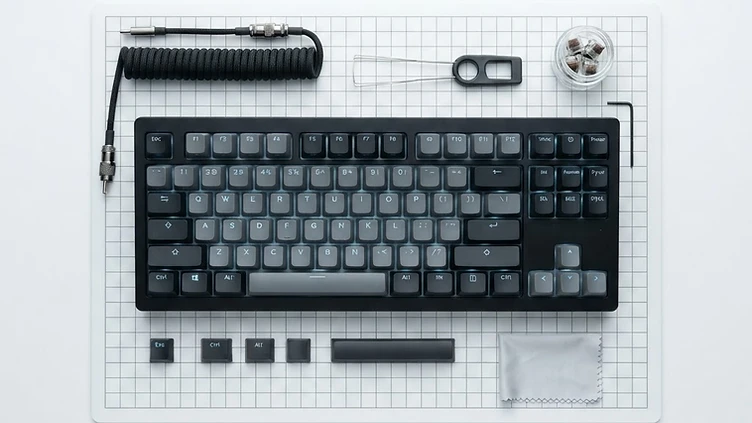
A gaming keyboard under $100 in Canada doesn't have to mean settling. The differences that actually affect your day-to-day are simpler than the spec sheets suggest: mechanical vs membrane, the switch type, the keyboard size, wired vs wireless, and the gaming features that matter to you. This guide keeps it short so you can decide quickly.
A note on accuracy. Prices below are approximate and current as of October 2026, taken from Best Buy Canada listings, and can change — always verify the live listing before buying. Some prices are current sale prices and are labelled as such. We haven't personally tested these keyboards; our picks are based on verified specifications, not hands-on reviews.
Quick Picks
- Best budget pick — HyperX Alloy Core (~$40, sale): A full-size membrane keyboard with a signature light bar, dedicated media controls, and spill resistance. For shoppers who want a decent gaming keyboard for the least money.
- Best overall value — SteelSeries Apex 3 (~$77): A full-size membrane keyboard with whisper-quiet keys, a magnetic wrist rest, a volume wheel, 10-zone RGB, and IP32 spill resistance. For shoppers who want the most feature-rich membrane keyboard under $100.
- Best mechanical pick — HyperX Alloy Origins 65 (~$80, sale): A 65% mechanical keyboard with linear HyperX Red switches, a solid aluminum body, and PBT keycaps. For shoppers who want a real mechanical keyboard without going over $100.
- Best compact pick — Razer Huntsman Mini (~$95, sale): A 60% mechanical keyboard with clicky optical switches and a tiny footprint. For shoppers who want the smallest, most desk-friendly option.
Quick Comparison Table
All six are wired keyboards at or under $100 CAD. Sale prices are labelled and subject to change. Prices are current as of October 2026.
| Product | Approx. CAD price | Size/Layout | Switch type | Connection | Best for |
|---|---|---|---|---|---|
| HyperX Alloy Core | $39.99 (sale) | Full-size | Membrane (tactile) | Wired (USB) | Cheapest decent all-rounder |
| Razer Ornata V3 X | $44.98 (sale) | Full-size | Membrane (low-profile) | Wired (USB) | Low-profile & quiet with wrist rest |
| Logitech G213 Prodigy | $69.99 | Full-size | Membrane (tactile) | Wired (USB) | Comfortable membrane with palm rest |
| SteelSeries Apex 3 | $76.98 | Full-size | Membrane (whisper-quiet) | Wired (USB) | Spill-resistant with volume wheel |
| HyperX Alloy Origins 65 | $79.99 (sale) | 65% | Mechanical (linear) | Wired (USB-C) | Compact mechanical with arrow keys |
| Razer Huntsman Mini | $94.99 (sale) | 60% | Mechanical (clicky optical) | Wired (USB-C) | Smallest compact mechanical |
Affiliate links aren't active yet. We'll add them once our program is approved. For now, search the product name at Best Buy Canada to check the current price and availability.
Pros and Cons at a Glance
Prices are approximate, in CAD, and some are sale prices that can change. The points below are based on documented specifications and listed features, not hands-on testing.
HyperX Alloy Core (~$40, sale) — Best Budget Pick
- Pros: full-size layout with a number pad; dedicated media controls; light bar lighting; spill-resistant build.
- Cons: membrane switches with no mechanical feel; no wrist rest; the most basic lighting of the membrane boards here.
Razer Ornata V3 X (~$45, sale) — Best Low-Profile Membrane Pick
- Pros: low-profile keys with a mecha-membrane feel; quiet typing; included wrist rest; spill-resistant.
- Cons: still a membrane design rather than true mechanical switches; wired only; sale price can change.
Logitech G213 Prodigy (~$70) — Best Membrane Comfort Pick
- Pros: integrated palm rest; spill-resistant; dedicated media keys; 5-zone RGB.
- Cons: membrane switches; the full-size footprint takes desk space; no choice of switch type.
SteelSeries Apex 3 (~$77) — Best Overall Value
- Pros: whisper-quiet keys; magnetic wrist rest; volume wheel; 10-zone RGB; IP32 spill resistance.
- Cons: membrane switches rather than mechanical; switches aren't hot-swappable; full-size footprint.
HyperX Alloy Origins 65 (~$80, sale) — Best Mechanical Value
- Pros: 65% layout keeps the arrow keys while freeing desk space; linear HyperX Red switches; aluminum frame; PBT keycaps.
- Cons: wired only; a 65% board still moves some keys to a function layer; no wireless option.
Razer Huntsman Mini (~$95, sale) — Best Compact Mechanical Pick
- Pros: 60% footprint leaves maximum room for your mouse; optical switches with fast actuation; detachable USB-C cable; doubleshot PBT keycaps.
- Cons: 60% omits the arrow keys and function row, which some buyers miss; wired only; the clicky switch option is loud in shared rooms.
Check current price. No retailer links appear here yet — no affiliate program is active. Once one is approved, each pick above will carry a "View current price" link to a Canadian retailer. For now, search the exact model name (including the switch variant) to see today's price.
Best Gaming Keyboards Under $100
HyperX Alloy Core (~$40, sale)
A full-size membrane keyboard with a quiet, soft-touch feel and a signature RGB light bar with six lighting effects and five customizable zones. It has seven dedicated media controls, anti-ghosting, five onboard memory profiles, and 120ml spill resistance. Wired over a braided USB cable, with a reinforced plastic frame. The cheapest pick here. Best for: shoppers who want a decent, good-looking gaming keyboard for the least money. Tradeoff: membrane feel is softer and less distinct than mechanical switches.
Razer Ornata V3 X (~$45, sale)
A full-size, low-profile membrane keyboard with silent membrane switches, slimmer keycaps, and an ergonomic wrist rest. Razer Chroma RGB, UV-coated keycaps, and a spill-resistant build round it out. Wired over USB. Best for: shoppers who want a quiet, low-profile keyboard with a wrist rest at a low price. Tradeoff: low-profile membrane keys won't suit players who want a crisp mechanical click.
Logitech G213 Prodigy (~$70)
A full-size membrane keyboard with tactile keys, a built-in palm rest, and dedicated media controls. Five customizable RGB lighting zones, anti-ghosting, and Logitech G software for customization. Wired over USB. Best for: shoppers who want a comfortable membrane keyboard with a palm rest and media keys from a trusted brand. Tradeoff: membrane feel throughout, and no detachable wrist rest.
SteelSeries Apex 3 (~$77)
A full-size membrane keyboard with whisper-quiet switches rated for 20 million keypresses, 10-zone RGB, a magnetic wrist rest, and a dedicated volume wheel with multimedia buttons. IP32 water-resistant. Wired. Best for: shoppers who want the most feature-rich membrane keyboard under $100 — quiet keys, wrist rest, and spill resistance. Tradeoff: membrane switches, so no mechanical tactility.
HyperX Alloy Origins 65 (~$80, sale)
A 65% mechanical keyboard with linear HyperX Red switches, a full aircraft-grade aluminum body, and double-shot PBT keycaps with side-printed secondary functions. It keeps dedicated arrow keys while freeing up desk space, with 100% anti-ghosting, N-key rollover, three onboard profiles, and HyperX NGENUITY software. Detachable USB-C cable. Best for: shoppers who want a real mechanical keyboard with a compact layout and arrow keys. Tradeoff: no number pad and no wrist rest.
Razer Huntsman Mini (~$95, sale)
A 60% mechanical keyboard with clicky optical switches for fast, tactile actuation. Razer Chroma RGB, five onboard memory profiles, and a compact frame that frees up mouse space. Wired over a 2m USB-C cable. Best for: shoppers who want the smallest mechanical keyboard here and don't need arrow keys or a function row. Tradeoff: no arrow keys, no function row, and clicky switches are loud.
Mechanical vs Membrane
Mechanical keyboards use a separate switch under each key. They offer distinct, consistent key feel, come in different switch types, and are generally preferred by gamers and typists who want tactile feedback — but they're usually more expensive and can be louder.
Membrane keyboards use a rubber-dome layer under the keys. The feel is softer and less distinct, they're often quieter, and they're usually cheaper. A good membrane keyboard is still perfectly fine for gaming, especially if you prefer a quiet keyboard or a lower price.
Neither is universally better — it comes down to feel, noise, and budget.
Switch Types Explained
- Linear: smooth, consistent press with no bump or click. Quiet and fast — popular for gaming where quick, repeated presses matter.
- Tactile: a noticeable bump partway down tells you the key has actuated. A balance of feedback and quiet — good for typing and gaming.
- Clicky: a tactile bump plus an audible click. Satisfying and clear, but loud — not ideal for shared rooms or late-night sessions.
If you're unsure, linear is the safe starting point for gaming; tactile is the safe all-rounder.
Keyboard Sizes Explained
- Full-size: includes the number pad, function row, and arrow keys. Most keys, least desk space — best if you use the number pad.
- TKL (tenkeyless): drops the number pad but keeps the function row and arrows. Frees up mouse space while keeping most keys.
- 75%: like TKL but packs the function row into the main block. Compact without losing function keys.
- 65%: drops the function row but keeps arrow keys. A balance of compact size and usability — the Alloy Origins 65.
- 60%: drops the function row and arrow keys (accessed via layers). Smallest here — the Huntsman Mini. Maximum mouse space, but a learning curve.
Smaller boards free up desk and mouse space but rely on key combos for the keys they omit.
What Features Actually Matter?
- Anti-ghosting / key rollover: ensures every key press registers when you press several at once. All six keyboards here support it — standard for gaming.
- RGB / backlighting: helps you see keys in the dark and matches your setup. It doesn't improve gaming performance — treat it as preference.
- Dedicated media controls: a volume wheel or media keys are genuinely useful during play. The Apex 3 and Alloy Core stand out here.
- Programmable keys & software: lets you remap keys, set macros, and save profiles. Useful for MMO and productivity, less so for casual play.
- Wrist rest: improves comfort over long sessions. The Apex 3, Ornata V3 X, and G213 include one.
- Build quality: aluminum bodies (Alloy Origins 65) feel more solid and last longer; plastic keeps the price down.
- Wired vs wireless: all six here are wired, which means zero latency and no charging. Wireless is rare under $100 and trades battery management for a cable-free desk.
Simple Buying Guide
- If you want the cheapest decent option → HyperX Alloy Core (~$40).
- If you want mechanical switches → HyperX Alloy Origins 65 (~$80) for linear, or Razer Huntsman Mini (~$95) for clicky.
- If you want a compact keyboard → Razer Huntsman Mini (60%) or HyperX Alloy Origins 65 (65%).
- If you want a full-size keyboard → SteelSeries Apex 3 (~$77) for features, or Logitech G213 (~$70) for a palm rest.
- If you want something mainly for gaming and don't care about extra keys → Razer Huntsman Mini (~$95).
Common Mistakes
- Buying based only on RGB — lighting doesn't affect performance.
- Ignoring keyboard size — a 60% board omits arrow keys you may miss.
- Choosing a switch without knowing how it feels — try linear, tactile, and clicky if you can.
- Assuming mechanical automatically means better — a good membrane keyboard is fine for most players.
- Ignoring software and compatibility — check that software and layouts work for your setup.
- Forgetting that sale prices can change — verify the live listing before buying.
How to Choose a Gaming Keyboard Under $100
- Pick your size first. Full-size keeps a number pad for work and MMOs; TKL frees mouse space; 65% keeps arrow keys; 60% maximizes mouse room and moves keys to layers.
- Then choose membrane or mechanical. Membrane is quieter and cheaper; mechanical gives distinct, consistent key feel and more durability. At this budget you can get a good example of either.
- Match the switch to your room and game. Linear is the common fast, quiet gaming choice; tactile adds feedback; clicky feels crisp but is loud.
- Choose your connection. Wired gives the best value and no charging; wireless costs more and needs battery management.
- List the features you'll actually use. Dedicated media controls, a wrist rest, spill resistance, and adjustable feet matter more day to day than RGB zone counts.
- Check the keycaps and build. PBT keycaps resist shine better than ABS; an aluminum plate feels sturdier than plastic.
If you want to go mechanical specifically, our Best Mechanical Gaming Keyboards in Canada guide covers switches, layouts, and options at every price.
Before You Buy
- Prices in this guide are approximate, in CAD, and some are sale prices that can change.
- Availability changes — popular models get revised versions, so confirm the exact model number.
- Verify switch type, layout, and keycap material on the manufacturer or retailer page.
- Check which switch variant is included; many boards ship in several versions under the same name.
- Confirm the connection type you're buying (wired, 2.4GHz wireless, or Bluetooth) before ordering.
FAQ
Is a $50 gaming keyboard good enough?
Yes. Around $40–$50 you can get a solid membrane keyboard with RGB, media controls, and anti-ghosting — plenty for most casual and competitive gaming.
Is mechanical better than membrane for gaming?
Not automatically. Mechanical switches offer more distinct feel and durability, but a good membrane keyboard is perfectly fine for gaming. It comes down to feel, noise, and budget.
What keyboard size is best for gaming?
It depends on your desk and habits. Full-size is best if you use a number pad; TKL or 65% frees up mouse space; 60% maximizes mouse room but omits arrow keys.
Are clicky switches good for gaming?
Yes — they're fast and tactile. But they're loud, so they're not ideal for shared rooms, streams, or late-night sessions. Linear or tactile is quieter.
Is a $100 gaming keyboard worth it?
At $100 you can get a well-built mechanical keyboard or a feature-rich membrane keyboard. Whether it's worth it depends on how much you value switch feel, build, and features over a cheaper membrane board.
The Bottom Line
The best gaming keyboard under $100 depends on your layout preference, switch feel, desk space, and budget. For most Canadian shoppers, the SteelSeries Apex 3 is the strongest all-round membrane value, the HyperX Alloy Core is the safe budget pick, the HyperX Alloy Origins 65 is the mechanical choice, and the Razer Huntsman Mini is the compact pick. Try to type on a keyboard before you buy when you can — feel matters more than specs.
Related Borealis guides
- Gaming Keyboards — our full category guide.
- Best Mechanical Gaming Keyboards in Canada — our guide to mechanical keyboards.
- Best Gaming Headsets Under $100 in Canada — pair your keyboard with a good headset.
- Best Gaming Mice Under $50 in Canada — match your keyboard with the right mouse.
- Best Gaming Monitors Under $300 in Canada — complete your setup with the right monitor.
- All Borealis articles — the full library, including upcoming guides.
More in Gaming Keyboards
Category Guide →Best Mechanical Gaming Keyboards in Canada
An independent Canadian buying guide to mechanical gaming keyboards — quick picks, a comparison table, switch types, sizes, wired vs wireless, key features, how much to spend, and how to choose.
Read →60% vs 75% vs TKL Gaming Keyboards: What's the Difference?
A forthcoming guide to compact keyboard layouts — what you gain, what you lose, and which size fits your desk and games.